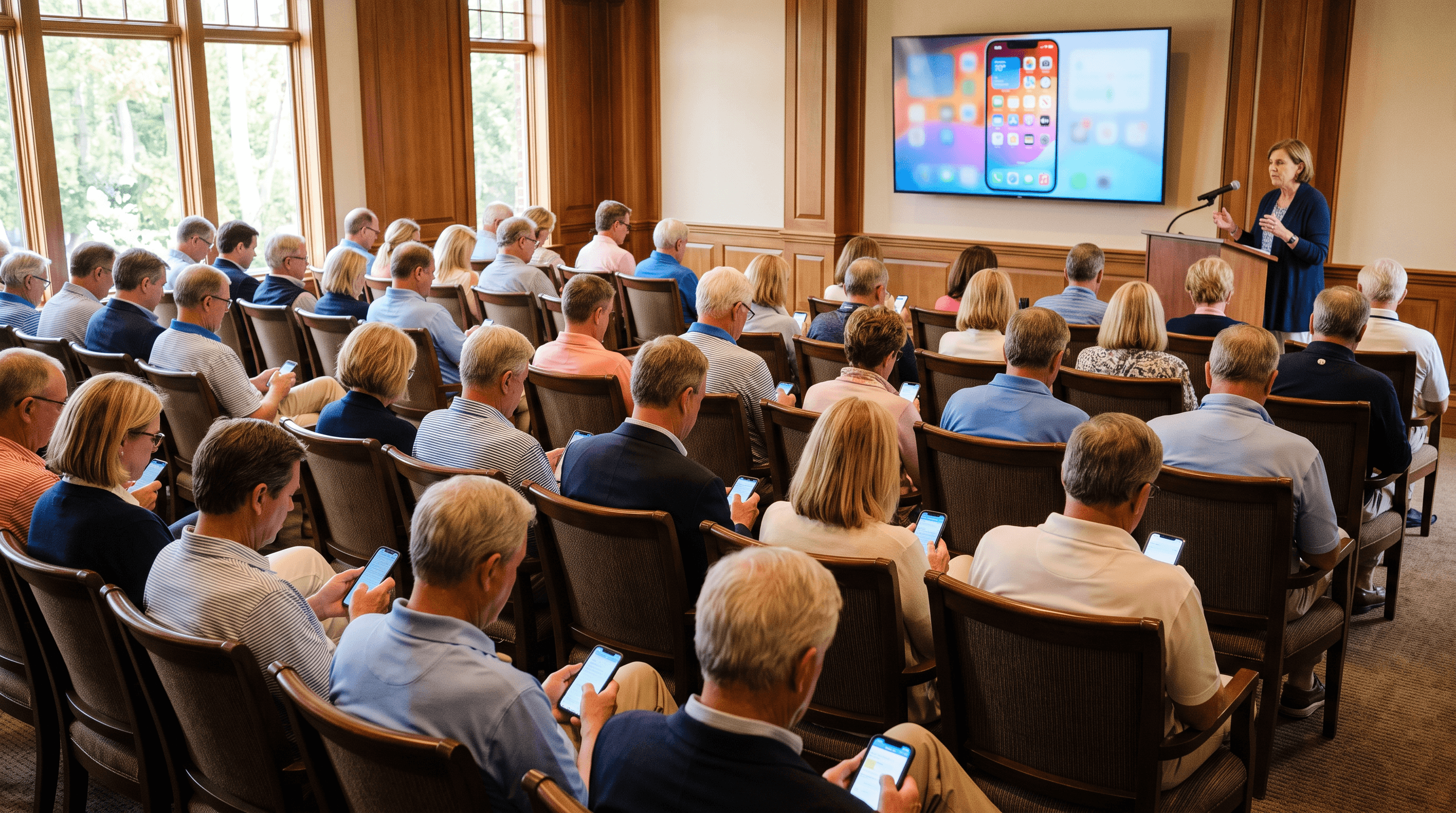
Forty members sat in rows facing a big TV. I stood at a podium off to the side with a microphone, ready to walk them through the basics: finding a group, joining it and starting one of their own.
Every one of them had a phone in their hand. That's where they were looking.
If you've run any kind of a training session, especially one that introduces a new software system, you'll recognize the room.
What I showed versus what they saw
I'd set up the TV to show two views side by side, the computer version on one half and the phone version on the other. I drove the session from the computer view because it was easier for me to click through.
It was easier for me. It didn't help anyone in the room. They weren't watching the TV. They were following along on their phones, and their phones didn't match what I was clicking.
In a small room you hear everything. "Where is that?" "How come I don't see that?" "Mine looks different." Neighbors leaned over to compare screens. Every few minutes I stopped to answer a question, then had to get the whole room back to the same place before I could go on.
It never went completely off the rails. But it wasn't the smooth hour I'd planned, either.
Come show me
After we walked through creating a test group, one member called out from her seat: "Can you just show me how to remove my group so I can leave?"
She knew exactly what she needed. A group session just isn't built to give it to her in that moment. That's the tension in every member training I've done. People come to a group session, but what they want is help with their own phone, right now.
"Where is that on my phone?" is really a request: come show me.
When the session ended, three or four members stayed. I spent about an hour with them, one at a time. They wanted to learn what they needed to do, and they wanted to tell me stories along the way. I was glad to hear them.
The part that was on us
Some of the confusion was my setup. Some of it was GroupValet.
On a phone, our menus sat behind a menu button. On a computer, there wasn't one. So even when someone was looking at the right screen, "open the menu" meant something different depending on the device in their hand.
All year we've been working toward one GroupValet on every device. In July, our new site brought the computer and phone versions into one design. In October, the app moved into that same design. The navigation was the last piece that still worked differently.
I'd been working it out in my head for a long time, but it was never the top priority. Watching forty members try to follow me made it one. Once that was clear, we moved fast. The new navigation goes live November 30, before my next session at that club, on purpose. Now when I say "tap Home," it's true on a computer, a phone and the app.
What I'm changing for the next session
Phone view only. No more computer view on the TV. If it isn't what members are holding, it doesn't belong up there.
The same navigation everywhere. That's the November 30 change.
A phone screen big enough for the back row. My plan was to turn the TV on its side and show one giant phone screen. I checked with the club, but the TV only works horizontally. So now I'm working out how to fit a tall phone screen on a wide TV so people in the third and fourth rows, 15 feet or more back, can read it.
Room for "come show me." I'll say at the start that I'm staying afterward for anyone who wants help with their own phone. That hour isn't overflow. For some members, it's the training.
If you're planning a member training
Many clubs are introducing something new to members: an app, a tee-time system, a new website. If you're the one at the front of that room, here's what I'd pass along.
Show what's in their hands. If members bring phones, put a phone screen on the big screen, even if another view is easier to present from.
Make "tap here" true for everyone. If the tool looks different on a phone and a computer, pick one and tell the room up front.
Plan for "come show me." Tell people you'll stay afterward for personal questions, and build that time into your day.
I'll report back after the next session with what worked and what didn't.
Frequently asked questions
How do you run a technology training session for club members?
Keep it to the basics, show it on the device most members are holding and save personal questions for one-on-one time at the end. In my sessions, the basics are finding and joining a group, seeing the calendar, using group chat and starting a group of your own.
Should a member training use a big screen or members' own phones?
Both, as long as the big screen shows what the phones show. In my experience, members follow along on their own phones whether you ask them to or not, so the screen at the front should match what's in their hands.
Why do members say "mine looks different" during a demo?
In my experience, it's because the view at the front isn't the one in their hand: a computer layout instead of a phone, a browser instead of an app, or a different screen size. Showing the version most of the room is holding cuts down on it.
How do you handle personal questions in a group training?
Say at the start that you'll stay afterward. During the session, answer the questions that help the whole room and save individual ones for the end. Plan the extra time, because some members come mostly for that part.