The New Fitness Center Is Open. Now the Board Wants Usage Numbers.
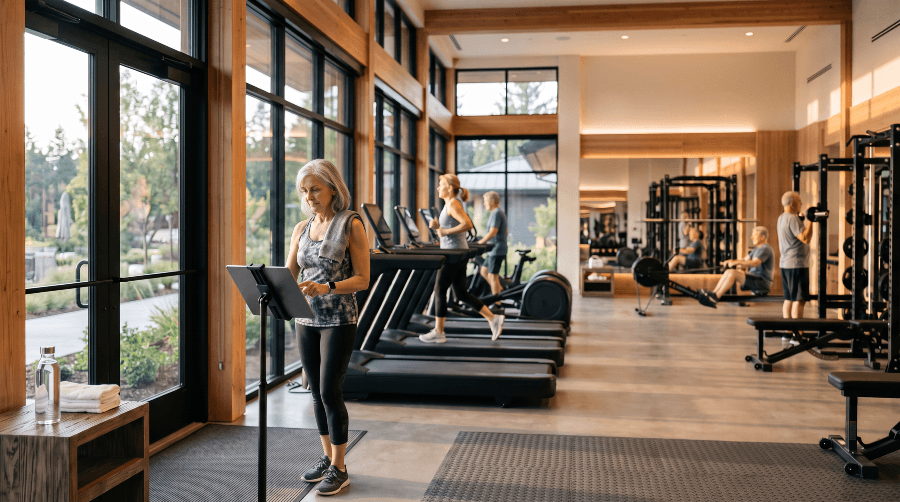
Have you recently renovated your fitness center? Are you thinking about it? Even if neither is on the calendar, do you know how many people use it each week, which hours are busiest, and how full the room gets?
For many clubs and communities, the answer comes from impressions. It always seems busy at 7. The treadmills are never free on Monday mornings. Those impressions are often right, but they’re hard to put in front of a board that just approved a major project.
A simple way to get real numbers is to have members check in when they arrive. A screen by the door, or a QR code scanned with a phone, records each visit. From there, the report builds itself: total visits, average length of stay, and two heat maps, one showing when people arrive and one showing how full the room is, hour by hour.
Why fitness center usage is hard to count
Many fitness centers don’t have a staffed desk, especially when they open early and close late. Sign-in sheets work until people stop using them, and someone still has to tally them up.
An operations director at a large community in California recently told me the other half of the problem. People won’t check out, he said. They just walk out.
He’s right, and that’s why GroupValet’s check-in doesn’t depend on it.
How fitness center check-in works
Members check in one of two ways. They can type their member number on a computer or tablet that stays on the check-in screen by the door, or they can scan a QR code with their phone.
Checking out is optional, and the club decides how visits end. Members can scan a separate check-out QR code when they leave, and the report uses the real times. If the club doesn’t want to rely on that, it can close every visit automatically after a set time, such as one, two or three hours, or count each visit as the club’s typical visit length, based on its average. Either way, the occupancy numbers stay useful even when nobody checks out.
Because check-in runs from the club’s or community’s roster, members use the member number they already have.
Not just the fitness center
The same check-in works for any amenity a club or community wants to count, especially the ones people use without booking a time.
A library or reading room, where the only question is how many people come in and when. Open-play pickleball or tennis courts, where nobody reserves a slot but the club still wants to know how busy they get. A pool, a card or game room, a craft studio, a practice range or putting green.
Each amenity gets its own check-in and its own report, so the board can see how the fitness center compares with everything else the club or community maintains.
What the fitness center usage report shows
The report has three parts.
Visits and average stay
The total number of check-ins for the period you’re reviewing, and how long a typical visit lasts.
The check-in heat map
When people arrive, laid out by day of the week and hour of the day, so the busiest arrival times stand out.
The occupancy heat map
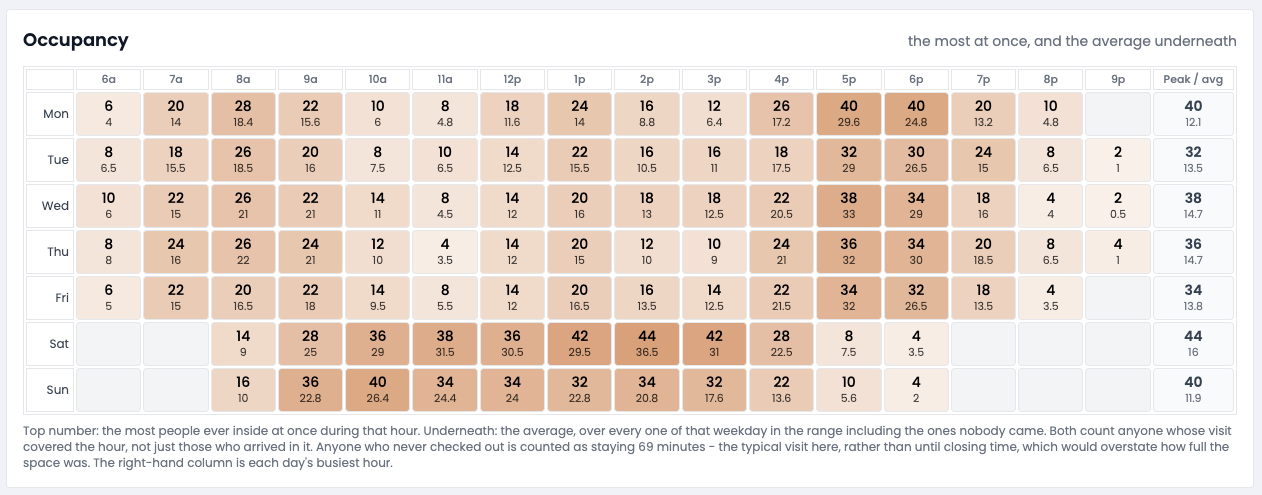
How many people are in the room at each hour, counted from check-in to check-out, or to the automatic close the club has chosen. This is the one that shows whether the room is crowded, not just busy at the door. In the example below, the room is fullest on weekday evenings at 5 and 6 p.m., and on Saturday early afternoon.
What a board can do with usage numbers
Staffing and hours. If the room is nearly empty after 8 p.m., that’s a conversation about hours. If it’s packed at 5 and 6 p.m. on weekdays, that’s one about who’s on duty.
Classes and programming. Group classes can go where the occupancy map shows room for them, instead of competing with the busiest hours.
Space and equipment. If the same hours hit capacity week after week, the case for more space or more equipment gets made with numbers instead of complaints.
The next decision. A renovation proposal reads differently when it starts with a year of usage data. If a project is still on the drawing board, counting now gives the board a baseline to compare against once the new space opens.
Amenity check-in, including the fitness center, is part of GroupValet, alongside groups, events and room booking for private clubs and residential communities.
Frequently asked questions
Here are answers to common questions about fitness center and amenity check-in.
Do members have to check out of the fitness center?
No. Members can scan a check-out QR code when they leave, but the club can also close open visits automatically after a set time, or count them as a typical visit, so the occupancy map still fills in whether or not anyone checks out.
Can check-in be used for amenities other than the fitness center?
Yes. Clubs and communities can set up check-in for any amenity they want to count, such as a library, open-play courts, a pool or a card room.
Does fitness center check-in work without a staffed front desk?
Yes. The check-in screen can stay up on a computer or tablet by the door all day, and members can also check in with a QR code on their phone.
Can HOAs and residential communities use it, or only private clubs?
Both. Check-in works from a community’s resident roster the same way it works from a club’s member roster.
What does a fitness center usage report include?
Visit counts, average length of stay, a check-in heat map showing when people arrive, and an occupancy heat map showing how full the room is by hour.


